How to Calculate Your Freelance Hourly Rate (Step by Step, With a Worked Example)
Work out a freelance hourly rate that covers your income goal, business expenses, taxes and unpaid hours, with a step-by-step formula and a full worked example.
In this guide
- What is a freelance hourly rate?
- Step 1: Decide how much you want to take home
- Step 2: Add up your monthly business expenses
- Step 3: Set aside money for taxes
- Step 4: Work out your billable hours
- Step 5: Calculate your minimum hourly rate
- Step 6: Add a buffer for the unexpected
- Step 7: Compare with your market
- Worked example: Sarah’s hourly rate
- Make it faster with a calculator
- Common mistakes when setting your rate
- Should you charge hourly or a fixed price?
- Frequently asked questions
- Final thoughts
One of the first questions every new freelancer faces is simple: how much should I charge?
It is tempting to look at what other freelancers charge and go a little lower to win clients. That sometimes works, but it is risky. If your rate is too low, you can work long hours and still not cover your expenses or reach your income goal. If you charge more without understanding your costs, you have no way to know whether that price is actually enough.
A better approach is to build your rate from your own numbers: the income you need, your business expenses, taxes, and the number of hours you can realistically bill. This guide walks through each step with simple maths and one complete example.
If you want to skip the manual calculation, the Freelance Hourly Rate Calculator does all of it for you.
What is a freelance hourly rate?
Your hourly rate is the amount a client pays you for each hour of work. If you charge $30 per hour and a project takes 10 hours, the project earns $300:
$30 × 10 hours = $300
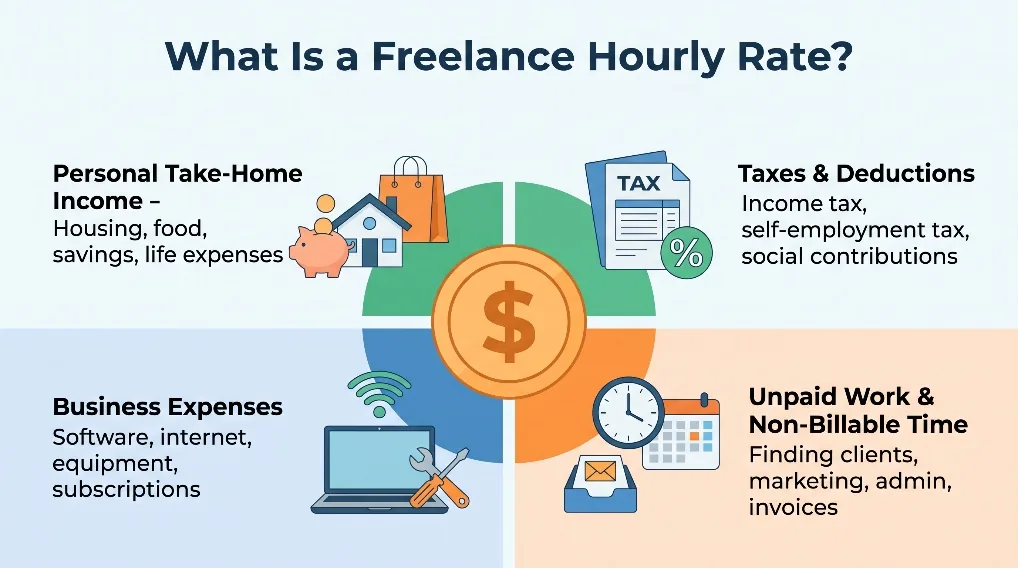
But you don’t keep all $300. Part of it goes to software, internet, platform fees and taxes. And part of your working week goes to tasks no client pays for: finding projects, writing proposals, answering messages and sending invoices.
That is why choosing a rate takes more thought than picking a number that “feels right.”
Step 1: Decide how much you want to take home
Start with the amount you want to keep each month after business expenses and taxes. There is no universal target. Some freelancers support a family on freelance income; others freelance alongside a job. Pick a realistic number for your own situation.
In this example, the target is $3,000 per month, which is $36,000 per year:
$3,000 × 12 = $36,000
Remember that your take-home income and your business revenue are not the same thing. To keep $3,000, your clients will need to pay you more than $3,000.
Step 2: Add up your monthly business expenses
Business expenses are easy to underestimate when you work from home, but even a small freelance business has regular costs.
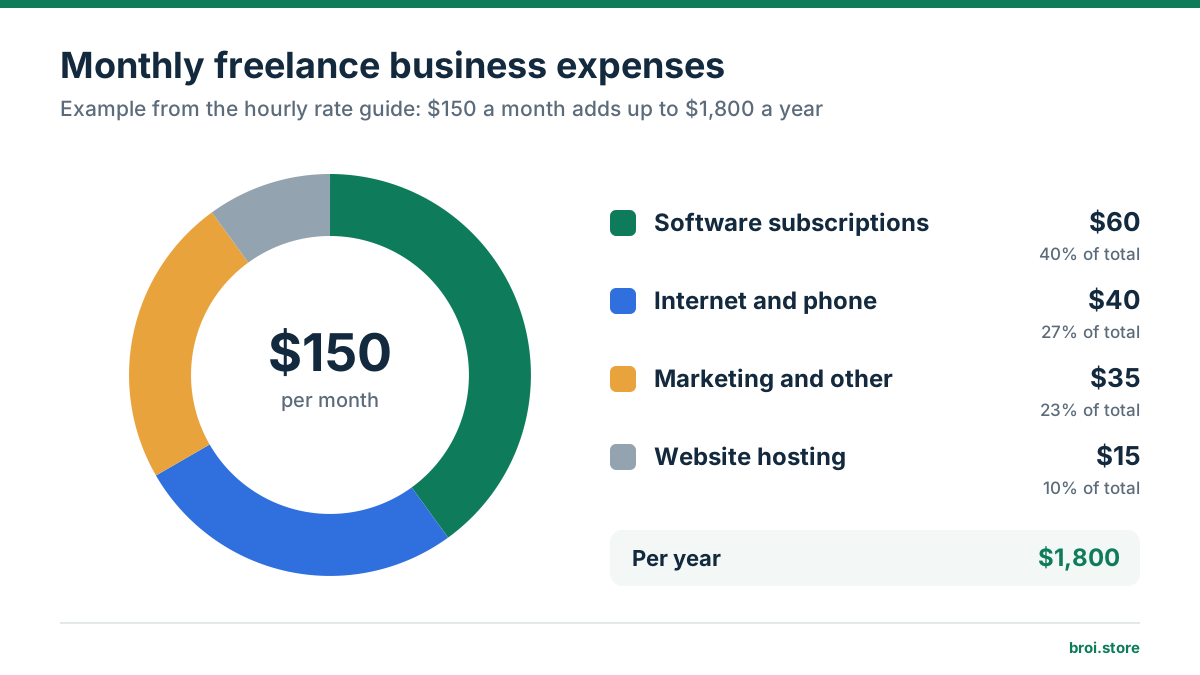
| Business expense | Monthly cost |
|---|---|
| Software subscriptions | $60 |
| Internet and phone | $40 |
| Website hosting | $15 |
| Marketing and other costs | $35 |
| Total | $150 |
That is $150 per month, or $1,800 per year. These costs reduce what you keep, so they belong in your rate. Take a few minutes to list your own expenses. Where you aren’t sure, use a sensible estimate and update it once you have real figures.
Step 3: Set aside money for taxes
How much tax you pay depends on where you live and how your income is classified. In this example we reserve 20% of revenue for taxes. That is an illustrative assumption, not a real rate. Freelancers in Pakistan who export services often pay far less (see our guide to Do Freelancers in Pakistan Pay Income Tax?).
To keep $3,000 after $150 of expenses and a 20% tax reserve, use this formula:
Required revenue = (Desired income + Business expenses) ÷ (1 − Tax rate)
($3,000 + $150) ÷ (1 − 0.20) = $3,937.50
So you need to earn about $3,937.50 per month from clients. After setting aside 20% for tax ($787.50) and paying $150 of expenses, $3,000 is left.
This is simplified. Real taxes may be calculated on profit, with deductions and local rules. If you work through a marketplace, you also need to cover platform fees, which we deal with in Upwork Fees Explained.
Step 4: Work out your billable hours
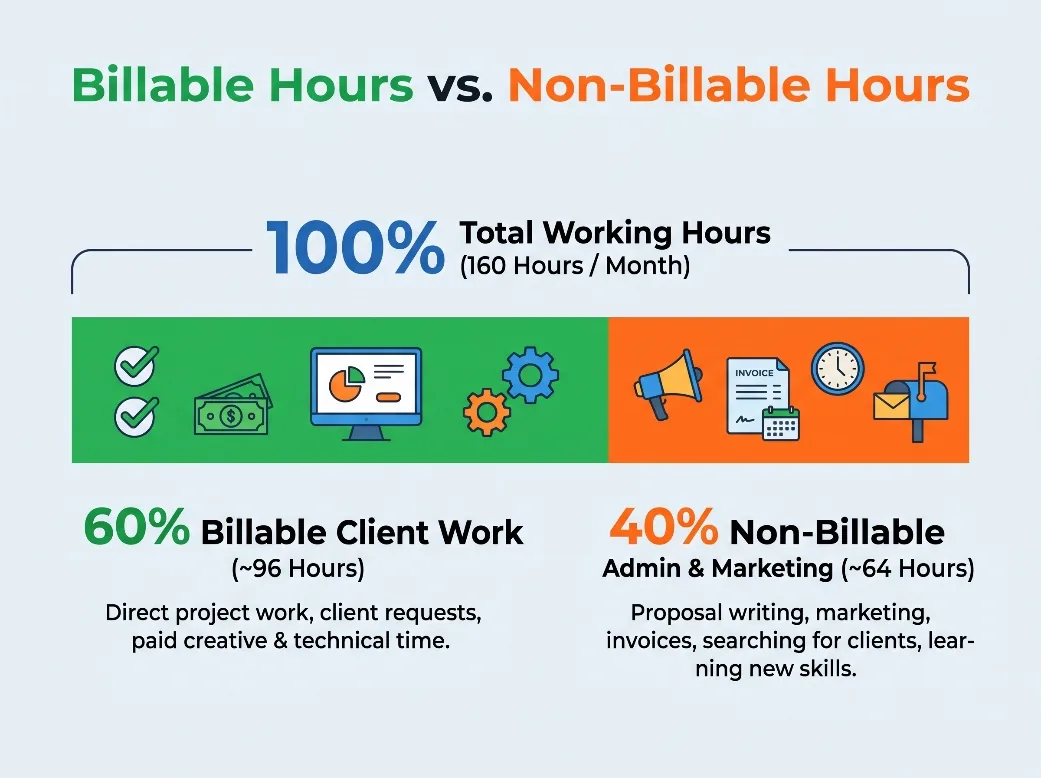
This is where many freelancers go wrong. Working eight hours a day doesn’t mean you can bill eight hours a day. Some of your time goes to messages, proposals, invoices and project admin.
Suppose you work 40 hours a week and take 4 weeks off per year:
40 hours × 48 weeks = 1,920 hours per year
1,920 ÷ 12 = 160 working hours per month
Now assume 60% of that time is paid client work:
160 × 0.60 = 96 billable hours per month
So although you work about 160 hours a month, you can bill clients for about 96. Beginners often bill less than this while they build a portfolio and client base, so use a percentage that matches your real schedule.
Step 5: Calculate your minimum hourly rate
You now have the two numbers you need:
- Required monthly revenue: $3,937.50
- Billable hours per month: 96
Hourly rate = Required monthly revenue ÷ Monthly billable hours
$3,937.50 ÷ 96 = $41.02
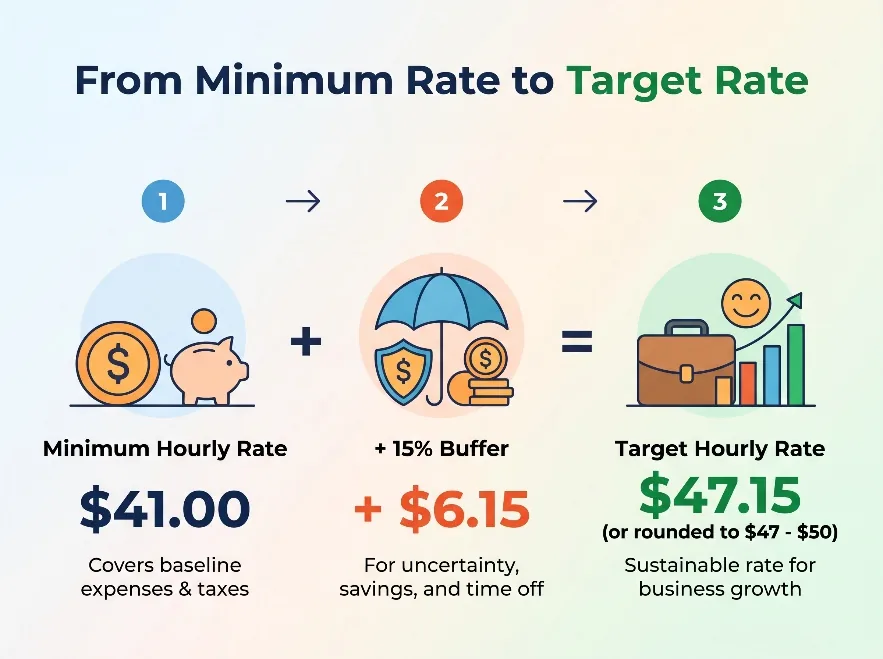
Your minimum rate is about $41 per hour. Below that, you either need more paid hours, lower expenses or a lower income target. If you have fewer billable hours, your rate has to go up to cover the same costs, which is why it’s worth recalculating whenever your workload or expenses change.
Step 6: Add a buffer for the unexpected
The minimum rate is a floor, not necessarily your final price. Freelance work is unpredictable: a quiet month, a lost client, a laptop that needs replacing, a project that runs over. You may also want money for training, holidays or growing your business.
Adding a 15% buffer to the minimum rate:
$41.02 × 1.15 = $47.17
A rate of $47 to $50 per hour is a reasonable starting point, as long as it fits your market. The buffer is not a substitute for taxes or expenses, because those are already in the calculation.
Step 7: Compare with your market
Your calculation tells you what you need to charge. Market research tells you whether clients in your niche will pay it. Rates vary widely by type of work, experience and client budget: a beginner offering admin support and an experienced developer building custom software both have costs to cover, but the value of their work is very different.
Upwork’s own rate guide gives a rough benchmark: beginners typically charge $10–$25 per hour, intermediate freelancers $25–$60, and experienced specialists $60–$120 or more. To research your own niche:
- Look up freelancers offering similar services on the platforms you use.
- Compare people with similar skills and experience, not just the top earners.
- Study their portfolios and the kinds of clients they work with.
- Be honest about your own results and experience.
Don’t simply copy another freelancer’s price, because their costs, goals and schedule are different from yours. If your calculated rate is above what your market pays, look at positioning: specialise in an industry, strengthen your portfolio or target clients with bigger budgets. If you’re unsure what the market pays on Upwork, see How Much Do Freelancers Earn on Upwork?.
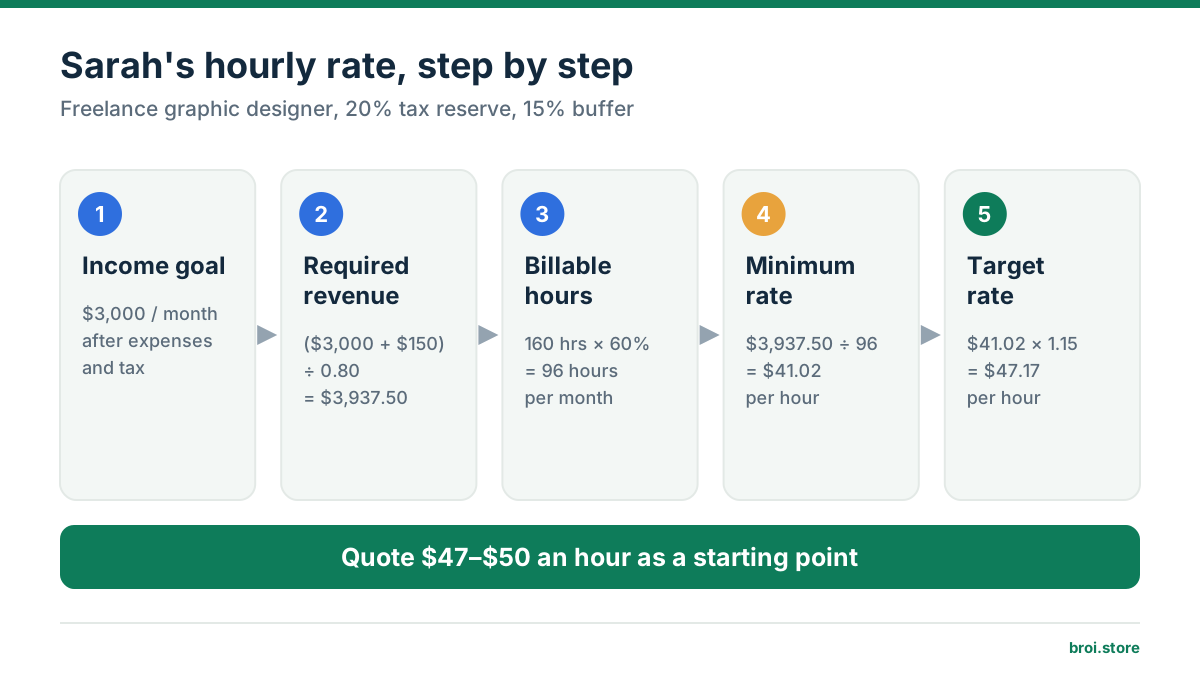
Worked example: Sarah’s hourly rate
Sarah is a freelance graphic designer. She wants to take home $3,000 a month after expenses and estimated taxes.
| Input | Value |
|---|---|
| Desired monthly income | $3,000 |
| Monthly business expenses | $150 |
| Tax reserve | 20% of revenue |
| Total monthly working hours | 160 |
| Billable percentage | 60% |
| Monthly billable hours | 96 |
1. Required revenue: ($3,000 + $150) ÷ 0.80 = $3,937.50
2. Minimum hourly rate: $3,937.50 ÷ 96 = $41.02
3. Target rate with a 15% buffer: $41.02 × 1.15 = $47.17
Sarah would quote between $47 and $50 an hour, depending on her market and experience. That is a far better-informed starting point than copying another designer’s price. Note that this works only if she actually fills all 96 billable hours; if she bills fewer, her income falls.
Make it faster with a calculator
Doing the maths by hand once is worthwhile because you see how each number affects your rate. But you’ll want to rerun it whenever your expenses, hours or goals change.
The Freelance Hourly Rate Calculator takes your desired income, expenses, tax rate, working hours, billable percentage and buffer, and shows your minimum and target rate instantly. Try changing one number at a time, such as fewer billable hours or higher expenses, to see how sensitive your rate is.
Common mistakes when setting your rate
Treating every working hour as billable. Running the business takes time. Base your rate on hours you can realistically bill.
Forgetting small expenses. Subscriptions, hosting, internet and payment fees add up over a year.
Ignoring taxes. Your revenue is not your personal income. Set aside your estimated tax before you spend.
Charging too little to win clients. Before accepting a lower price, check that the project still works for your business.
Never reviewing your pricing. As your skills, costs and clients change, your rate should change too.
Forgetting revisions on fixed-price work. Calls, emails and revision rounds all cut into your effective hourly income.
Should you charge hourly or a fixed price?
Hourly pricing works well when the amount of work is uncertain or the client needs ongoing support. Fixed prices suit clearly defined deliverables. A web developer might charge hourly for maintenance but quote a fixed price for a landing page.
Even with fixed prices, your hourly rate tells you whether a project is worth taking. A $600 project that takes 12 hours earns $50 per hour. If revisions stretch it to 20 hours, it earns only $30 per hour. We compare both models in detail in Hourly vs. Fixed-Price Projects.
Frequently asked questions
What is a good hourly rate for a freelancer?
There is no single right number. It depends on your experience, services, expenses, income goal and target market. Calculate your minimum sustainable rate first, then compare it with similar services in your niche.
How much should a beginner freelancer charge per hour?
Start by working out what you need to earn and how many hours you can realistically bill. You may charge less than an experienced specialist at first, but your rate should still cover your expenses and unpaid working time.
How many hours can a freelancer bill each month?
It depends on your type of work, client demand and the time spent running the business. Rather than assuming every working day is billable, estimate a billable percentage from your actual schedule (50–70% is common) and adjust it as you gain experience.
Should I include taxes in my hourly rate?
Yes. Your price needs to cover the taxes that apply to your freelance income. The right figure depends on your country, how your income is classified and your business structure.
How often should I raise my rate?
Review it every 6 to 12 months, or sooner if your expenses, skills, workload or demand change significantly. When raising prices for existing clients, give clear notice and follow the terms of your contract.
Can a calculator tell me exactly what to charge?
A calculator estimates a rate from the numbers you enter, but it can’t guarantee income. Your real results depend on how accurate your inputs are, how much paid work you win and your market.
Final thoughts
Finding the right hourly rate doesn’t have to be hard. Decide how much you want to take home, add your business expenses, allow for taxes and work out how many hours you can realistically bill. That gives you a minimum rate. Add a buffer, compare it with your market and adjust.
Don’t pick a price just because someone else charges it. Your costs and goals are your own. Run your numbers through the Freelance Hourly Rate Calculator and quote your next project with confidence.
Sources
Run your own numbers
Turn your income goal, expenses, tax and billable hours into a minimum and target hourly rate.
Open the Freelance Hourly Rate Calculator